[ SYSTEM STATUS: UPLINK ACTIVE ]

FINALLY, A SPELLING APP
YOUR KIDS ACTUALLY ASK TO PLAY!

Turn spelling practice into an epic space arcade odyssey. Master vocabulary, pilot starships through cosmic storms, and defend spelling sectors—built for future space explorers, trusted by parents.

ENGAGE HYPERDRIVE - PLAY NOW COMMAND CENTER

YOUR TRAINING SECTOR

Pilot spelling probes, target space junk, and defend stellar systems. Spell correctly to fuel your engines and activate thrusters.
Classic Practice Mode Spelling Interface

Practice Mode

Engage in classic space-themed spelling practice. Hear vocal pronunciations in sentences and type words in our high-contrast, responsive visual console.
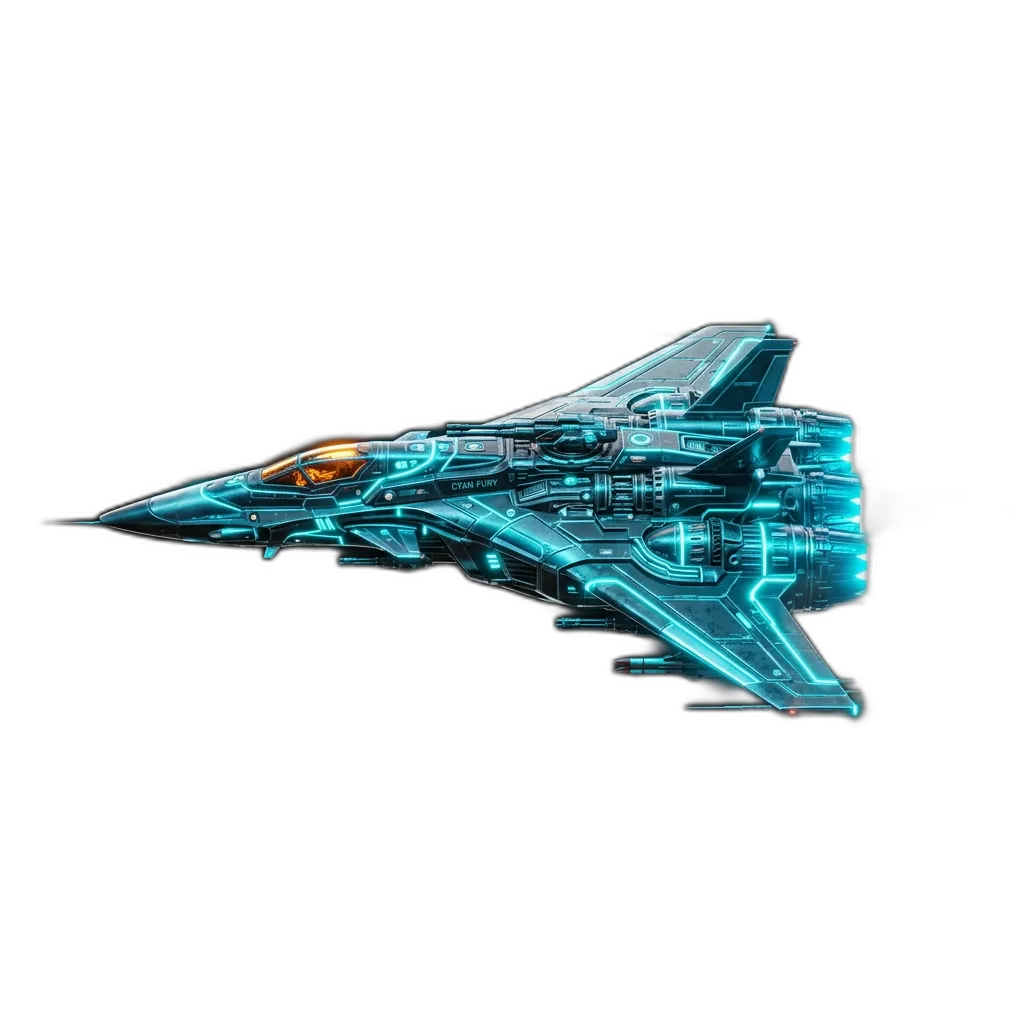
Multisensory Learning Mode Interface

Learning Mode

Master phonics using our multisensory teaching sequence. See, hear, and map letters to target phonemes with visual, tactile, and auditory retention prompts.
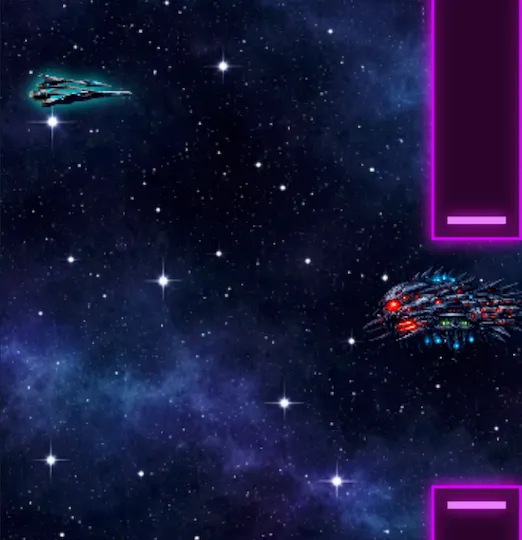
Galaxy Glider Gameplay

Galaxy Glider

Navigate a heavy glideship through dense fields of asteroids. Keep your ship afloat and spell target words correctly to reboot systems on crash.
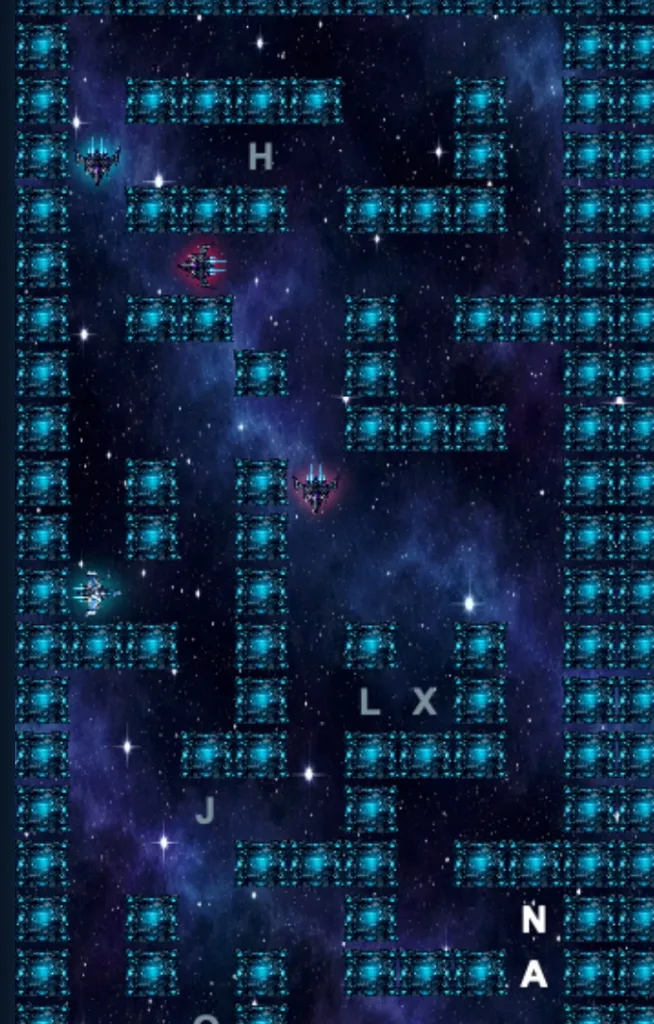
Space Chase Gameplay

Space Chase

Maneuver through high-tech grid mazes. Collect floating energy cells in the exact spelling sequence to charge your warp core before trackers lock in.
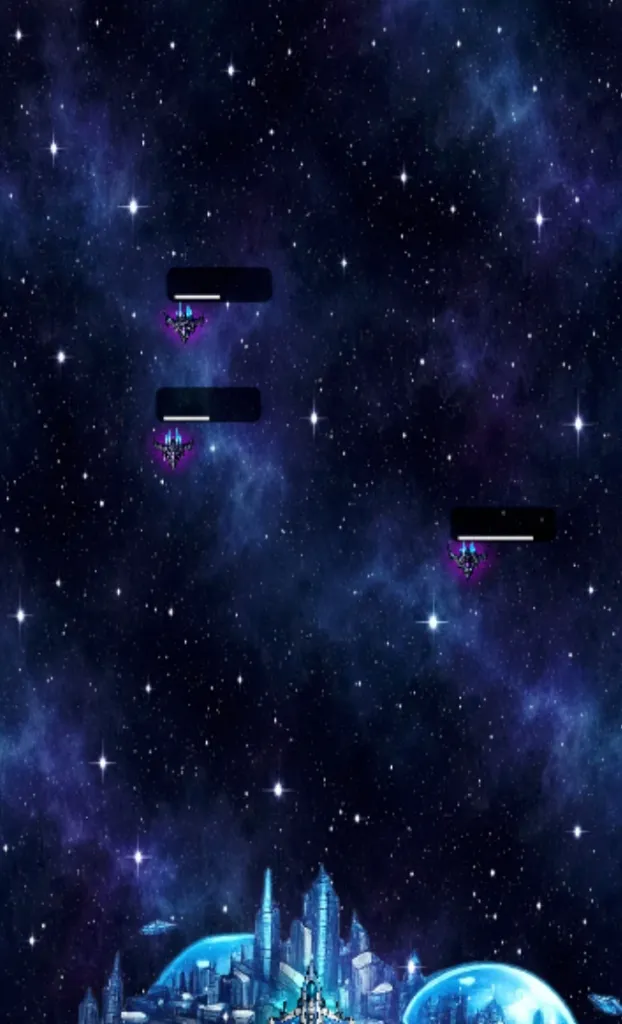
Planet Defense Gameplay

Planet Defense

Command planetary defense grids against incoming space debris. Lock onto target paths and spell vocabulary words under pressure to load defense payloads.
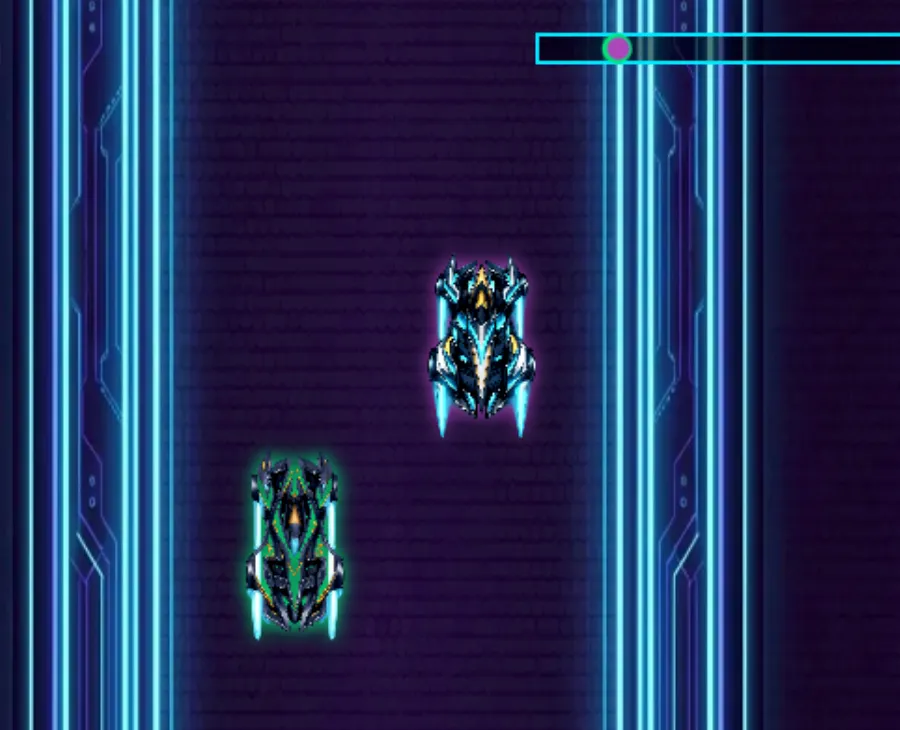
Cosmic Racer Gameplay

Cosmic Racer

Race ghost speeds on an interplanetary speedway. Spell correct words at lightspeed to activate hyper-thrusters and secure a podium finish.
TRUE gamified spelling pedagogy

CyberSpeller is a **true educational application**, not a mindless gaming distraction. Every single gameplay sector is meticulously engineered with a specific, scientifically aligned spelling-focused instructional mechanic:

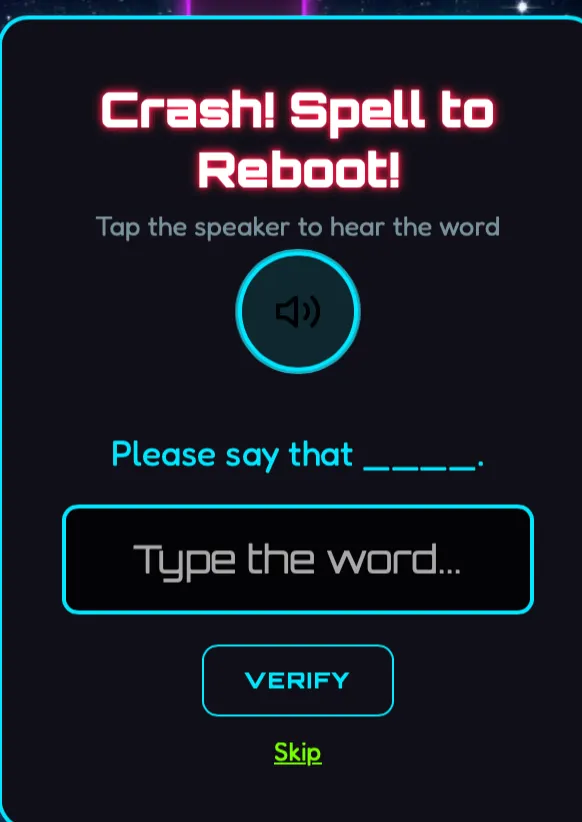
  • Galaxy Glider (Phonetic Correction): Pilots navigate ship thrusters through asteroid belts by spelling words. Crashing triggers a high-contrast spelling reboot interface that isolates the misspelled word, demanding manual visual correction before flight systems re-engage.
  • Space Chase (Sequential Letter Sequencing): Maneuver your ship in a maze-grid to gather letters scattered in canisters. You must collect letters in their **exact sequential spelling order**, heavily reinforcing spatial memory and orthographic spelling patterns.
  • Planet Defense (Auditory-Phonetic Integration): Protect home shields from incoming asteroids. Spoken voice sentences are read out via high-fidelity synthesis; pilots must quickly type and spell under pressure to load defense payloads, boosting recall and visual-audio speed.
  • Cosmic Racer (Spelling Automaticity & Fluency): Speed across neon speedways in real-time. Typing and spelling at velocity engages spelling automaticity, boosting overall words-per-minute (WPM) fluency, and moving lists from short-term memory to long-term visual mastery.
Crash Spell to Reboot spelling interface overlay

GALACTIC REWARDS & PROGRESS

Spelling correct words fuels space engines, tracks travel across crystal glaciers, and lets pilots spend earned gems in the neon shop.

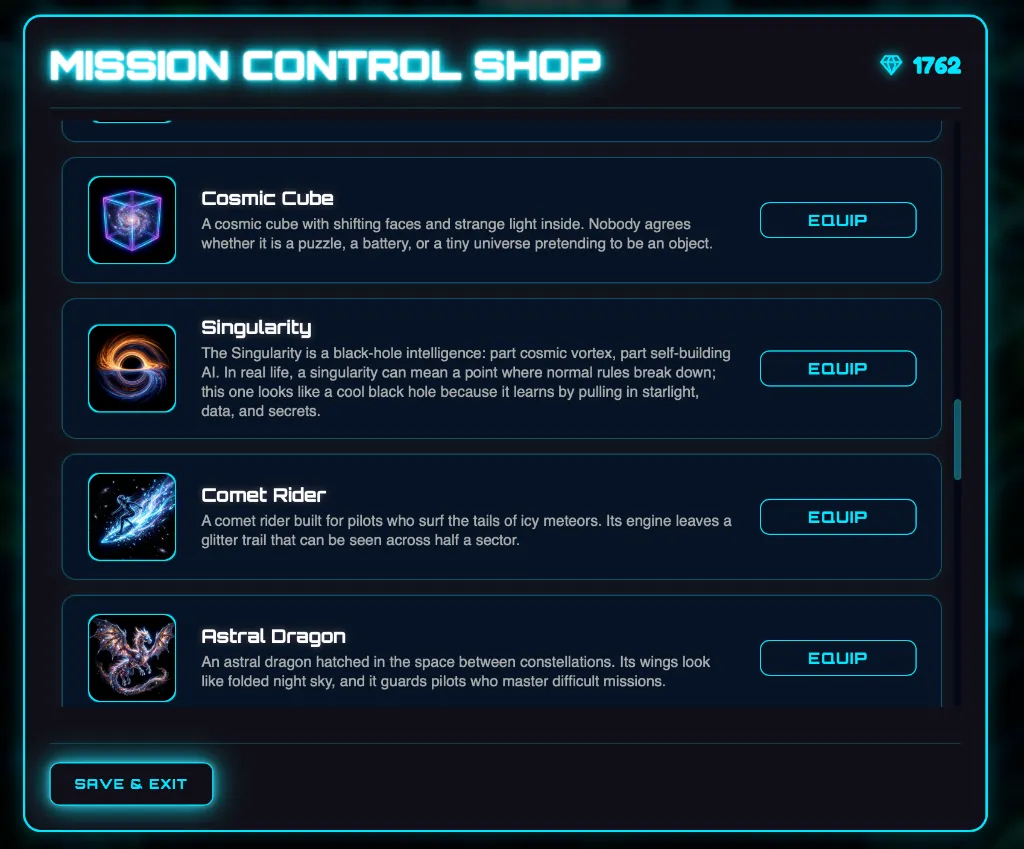
Mission Control Hologram Shop Grid

The Mission Control Shop

Correct spelling lists translate directly into stellar buying power! In the holographic Mission Control Shop, players spend their hard-earned cosmic currency to customize their profile. They can buy and equip legendary artifacts, including the Cosmic Cube (a shifting puzzle of strange light), the mysterious Singularity (a black-hole intelligence that pulls in starlight), the glowing Comet Rider, or the rare Astral Dragon. It gives kids an active, gamified goal to practice spelling daily!

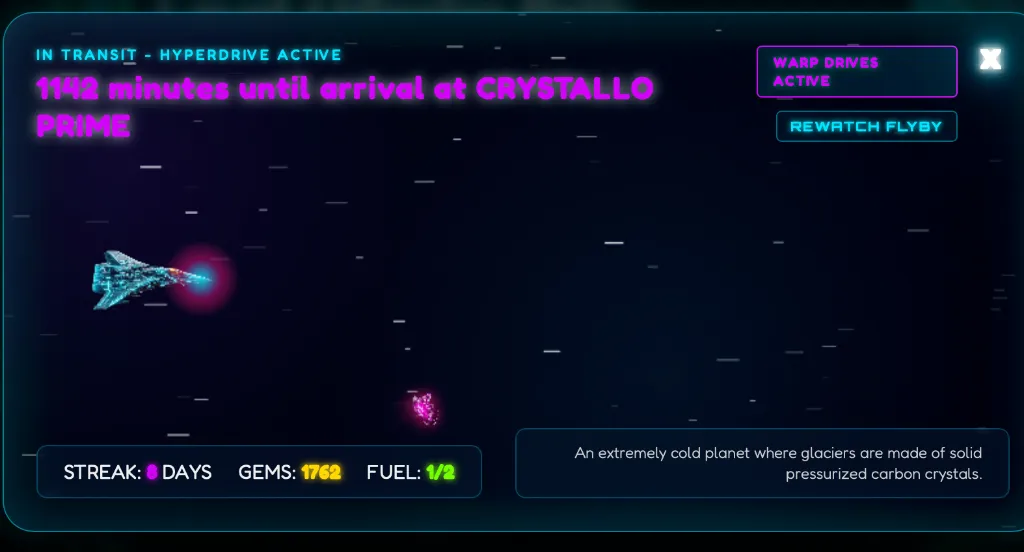
Hyperspace Travel Transit System Screen

Real-time Hyperspace Transit

Spelling lists fuel the hyperdrive thrusters! Complete lists to travel across solar systems in real-time. Pilots fly towards coordinate sectors like the icy Crystallo Prime—an extremely cold planet where glaciers are made of solid pressurized carbon crystals. Watch the flight duration tick down in real-time, maintain daily streaks, manage ship fuel, and read awesome astronomy briefs that turn science facts into a rewarding reward loop!

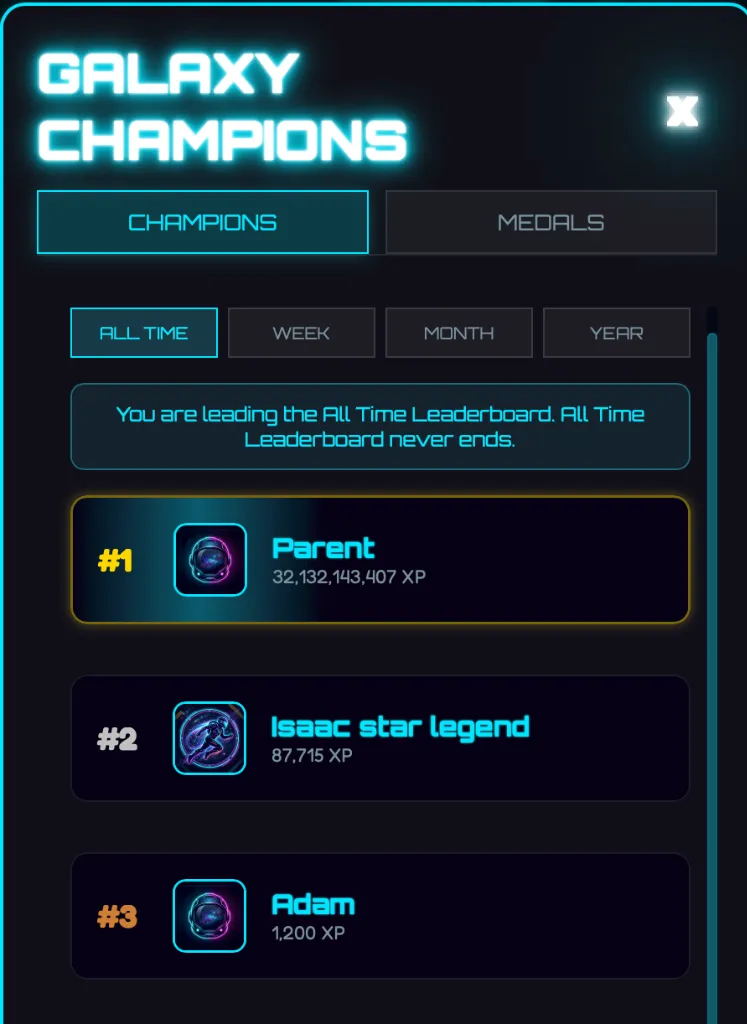
Galaxy Champions Family Leaderboard Grid

Galaxy Champions Leaderboards

Foster encouraging academic competition inside the home! The Galaxy Champions Leaderboard displays all-time, weekly, and monthly scores in a vibrant, arcade-style grid. Celebrate achievements as sibling pilots (and even parents!) climb the ranks, claim first place, and win galactic spelling medals. It turns vocabulary tests into a cooperative family adventure!

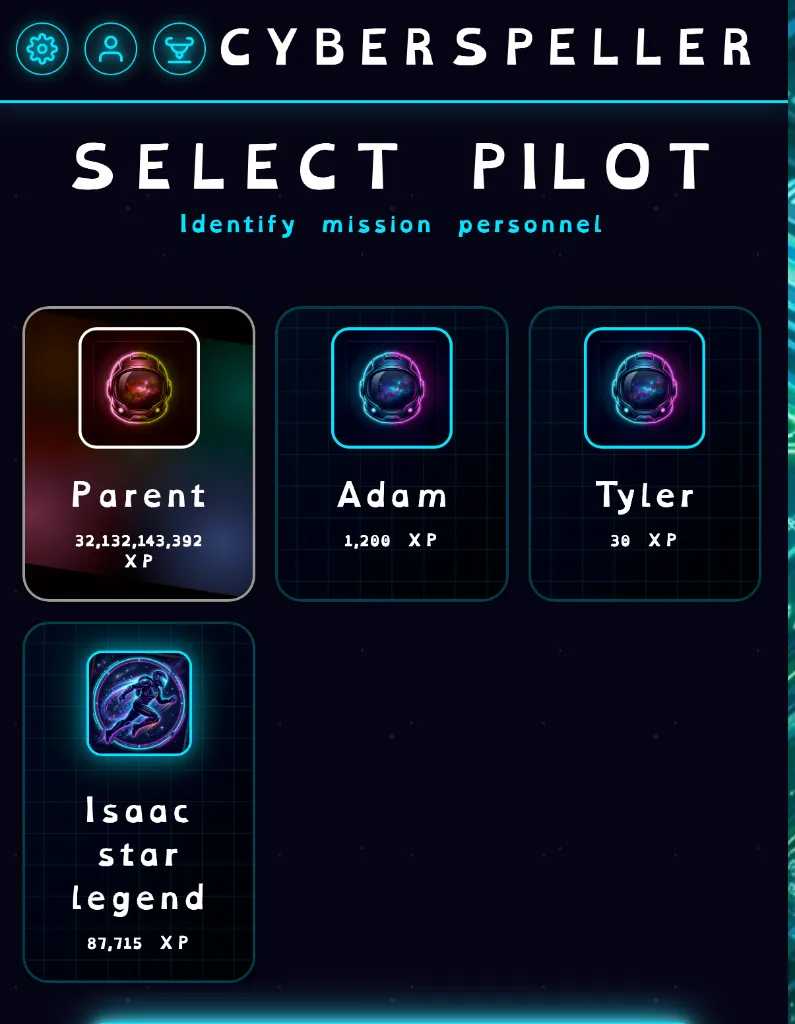
Select Pilot Astronaut Personnel selection

Astronaut Pilot Personnel

Separate pilot cards for every student! CyberSpeller supports multiple independent student profiles under a single parent account. In the Select Pilot Command Deck, each kid chooses their custom astronaut avatar, views their personal XP counts, and completes grade-level assignments tailored to their exact level, ensuring a fully customized journey.

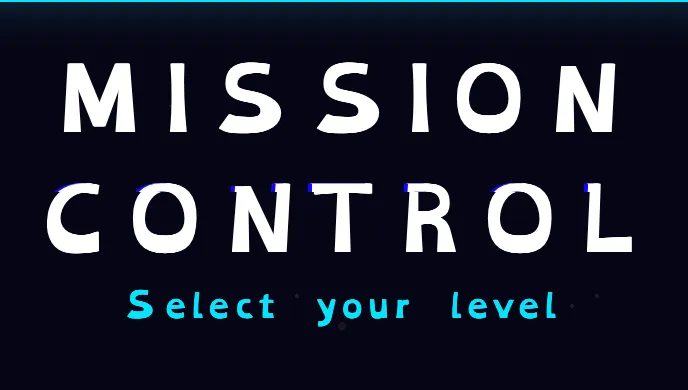
Dyslexic Font Mission Control UI Example

ELIMINATING READING BARRIERS

We believe spelling should be accessible to every future astronaut. That is why CyberSpeller integrates a dedicated, toggleable Dyslexia-Friendly Font Mode using the acclaimed OpenDyslexic typeface.

Standard school spelling apps often use uniform, symmetrical letters that can easily flip, rotate, or bleed together, causing reading frustration. OpenDyslexic solves this with heavily weighted letter bottoms, uniquely shaped characters, and wide spacing that anchors each symbol in place.

Best of all: our system automatically disables glowing text shadows in dyslexia mode to keep words razor-sharp, flat, and 100% legible. It completely removes the stress from learning, transforming spelling from a chore into a high-speed adventure!

💡 Try it Live! Click the "A11y Font" toggle at the very top of this page to experience this highly readable interface right now!

MISSION CONTROL

You are in the commander chair. Assign custom spelling homework, track learning curves, and reward successful pilots with custom daily allowances.

Holographic Directive Simulator

ACTIVE PARENT DIRECTIVE
Spell 10 words (3rd Grade) in Planet Defense
STATUS: UPLINKED
50 GEMS

ROBUST PARENT CONTROLS & CURRICULUM PATHS

CyberSpeller provides Mission Commanders (Parents) with absolute oversight. Restrict games, set strict custom homework targets, lock console profiles, and track progress along visual node-by-node learning sequences.

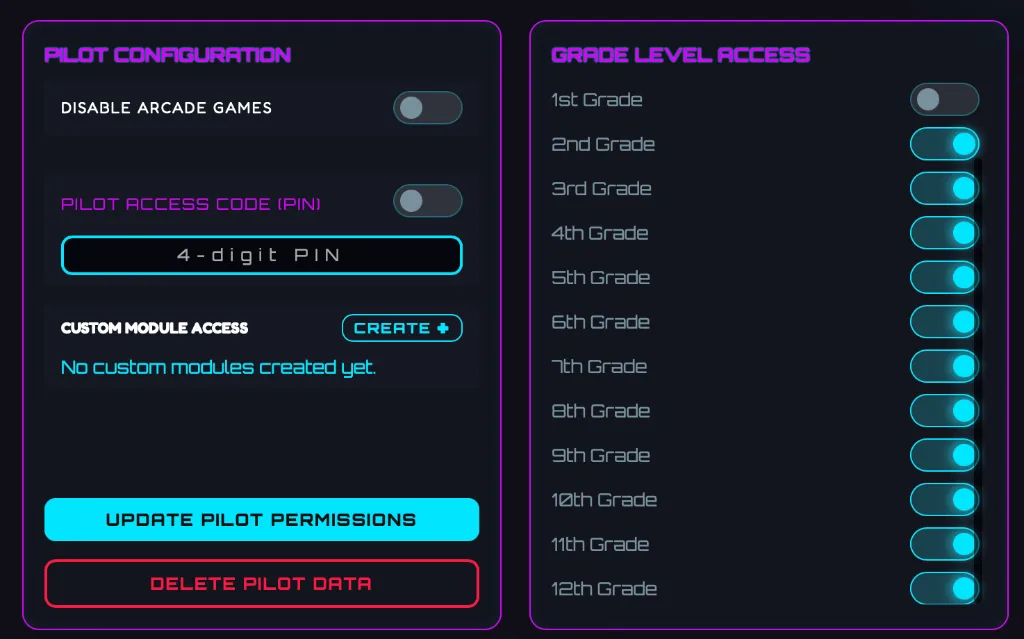
Pilot Configuration and Grade Level Access Filters

Advanced Parental Configuration

Ensure focus and curriculum compliance using our secure parent configuration menu! Simply set a 4-digit Parent PIN to lock the settings. From there, you can toggle **Disable Arcade Games** to restrict student access strictly to standard Practice or Learning modes. You can also filter **Grade Level Access** (toggling grades 1-12 off or on) so children only study lists aligned to their immediate academic needs.

Assign Custom Missions and Active Directives

Assign Custom Homework Directives

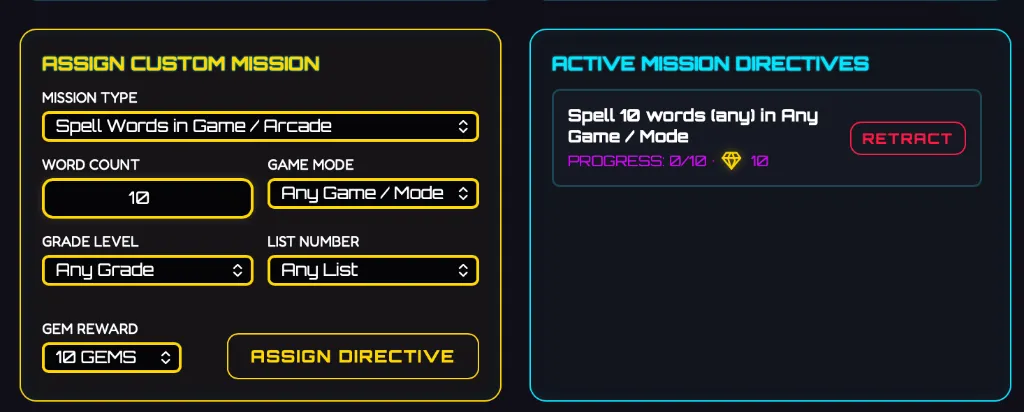
Have weekly vocabulary words from school? Paste custom cargo lists in the Module Editor or assign precise gameplay directives! The **Assign Custom Mission** panel lets parents select which game mode, word count, grade level, and list their pilot must complete, and rewards their success with daily Gem allowances (e.g. 10 to 75 gems). It makes homework assignments fun and structured!

Level 1 Mission Path Node Map

The Level 1 Mission Path

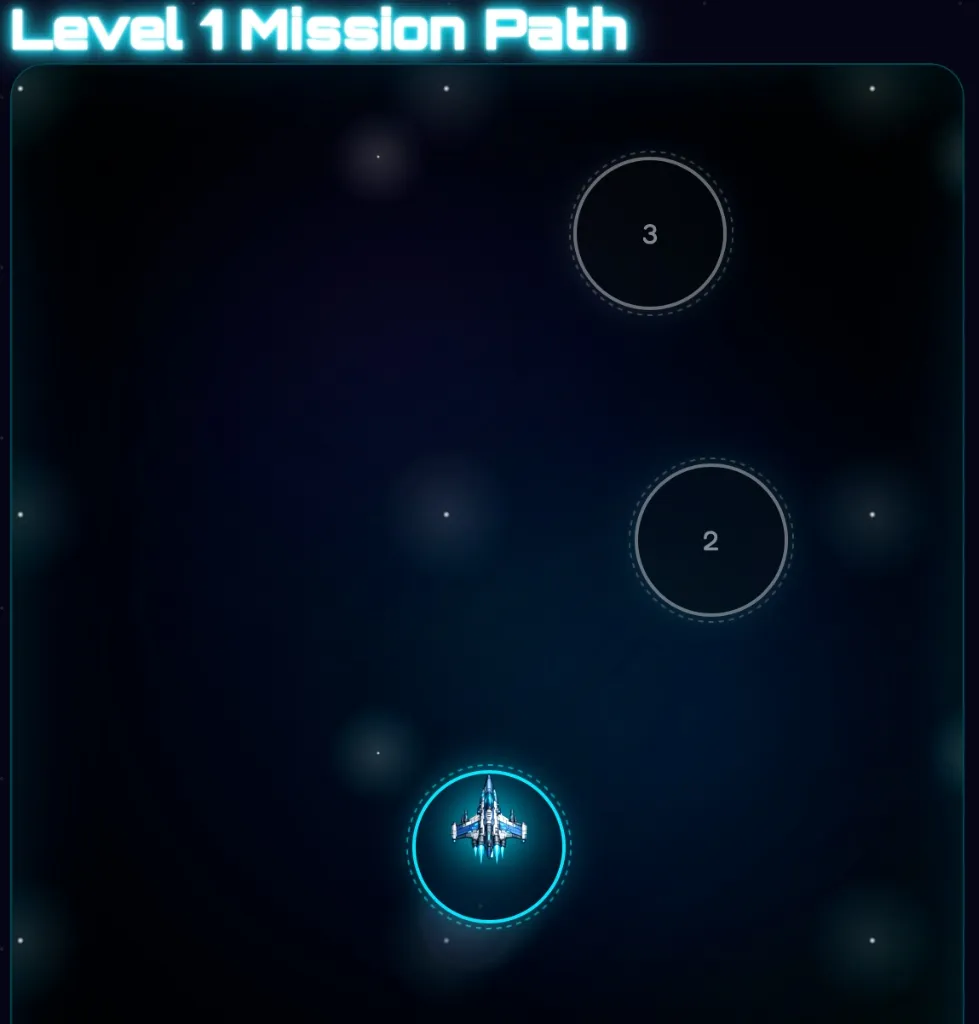
Guide spelling progress using a visual node-by-node roadmap! The **Level 1 Mission Path** anchors vocabulary learning into a structured star-system map. Pilots fly their spaceship from node to node, unlocking successive grade-level word lists only after scoring 100% on spelling challenges. This progressive path guarantees structured advancement and visual reinforcement of milestones.

Parent Dashboard Real-time Telemetry and Trouble Targets

Real-time Dashboard & Trouble Targets AI

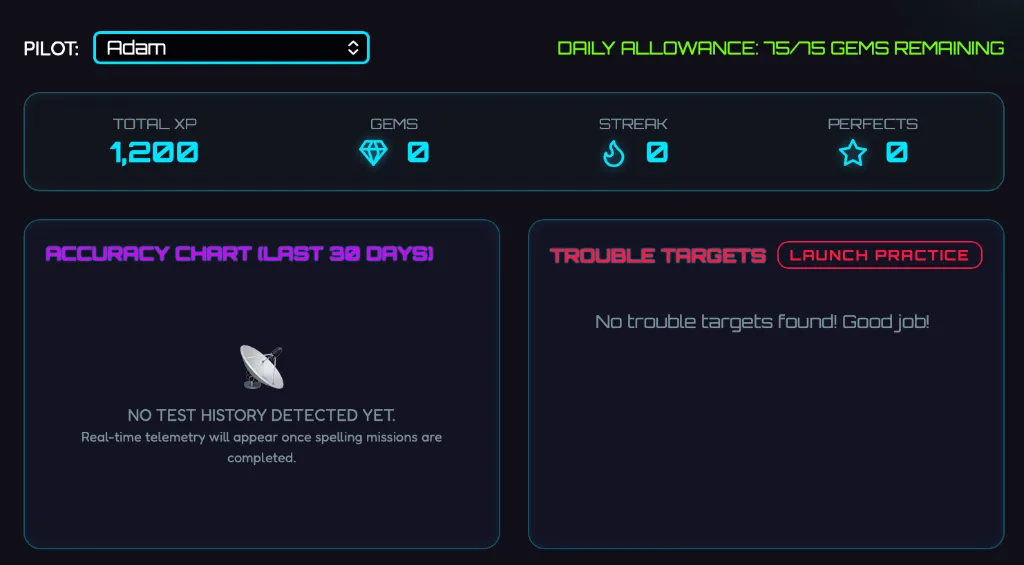
Monitor all spelling telemetry on a clean, centralized parental command deck! View total XP counts, current gem balances, login streaks, and spelling perfects. Our onboard AI automatically isolates misspelled words into a **Trouble Targets** list, allowing students to launch targeted error remediation practice at the click of a button to ensure zero learning gaps.

CURRICULUM ALIGNED SECTORS

Meticulously structured database covering preschool through middle school. Pre-loaded with certified Dolch High-Frequency Sight Words, core sight lists, and challenging national Spelling Bee vocabularies, or instantly paste your weekly school lists in the Module Editor!

SPACE ACADEMY FAQ SECTOR

Everything you need to know about academic safety, game pedagogy, curriculum coverage, and profile configurations.

01. Are there ads or trackers in CyberSpeller?

No! CyberSpeller is **100% ad-free** with no external tracking or third-party advertisements, ensuring a safe, focused environment for children. All spelling progress and profiles remain securely isolated and private.

02. Do I need to download or install an app?

No app store downloads or installations required! CyberSpeller is a modern Progressive Web App (PWA) that **runs instantly in any modern web browser** (Chrome, Safari, Edge, Firefox) on tablets, phones, laptops, and desktops. Progress syncs securely to the cloud when connected to the internet, and the system supports offline gameplay if a connection drops.

03. How do Parent Controls and PIN locks work?

Under a secure, **4-digit Parent PIN locked console**, Mission Commanders (Parents) can: (1) **Disable arcade games** to lock children strictly into practice and learning modes, (2) Filter **Grade Level Access** to show only relevant spelling lists, (3) Assign custom **Directives (Homework)** with daily Gem allowances, and (4) Track adaptive AI **Trouble Targets**.

04. What vocabulary lists are pre-loaded?

CyberSpeller is pre-loaded with thousands of curriculum-aligned vocabulary words. It features high-frequency certified **Dolch Sight Words** (from preschool to 3rd grade) and elite national **Spelling Bee lists** (grades 4 to 12). Parents can also instantly paste custom weekly spelling lists from school directly into the Module Editor!

05. How does Dyslexia Mode improve readability?

Swapping the interface to the acclaimed **OpenDyslexic** typeface places heavily weighted bottom letterings and wider character spacing to anchor each symbol. To guarantee 100% legibility and prevent visual blurring, **our system automatically disables all neon glowing text shadows in dyslexia mode**, keeping words sharp, solid, and flat.

06. Can multiple children play under one account?

Absolutely! CyberSpeller supports multiple independent student profiles under a single parent account. Every child chooses their personal astronaut avatar, tracks their own streak, XP, and Gem allowances, and competes against siblings on the cooperative **Galaxy Champions Leaderboard**!

ACADEMY UPLINK SUBSCRIPTIONS

Access all sectors of the spelling universe. Get unlimited pilot profiles, custom school homework lists, parent telemetry trackers, and the complete gaming suite.

FREE CADET

Perfect for a basic preview of spelling features.

$0/forever
  • Classic Practice & Learning Modes (Levels 1 & 2 only)
  • Dolch & sight word database (First 2 Modules of Levels 1 & 2)
  • Play Space Chase & Planet Defense (on free modules)
  • Limited to 1 student profile
  • Preschool, K, Levels 3-12 fully locked
  • Galaxy Glider & Cosmic Racer locked
LAUNCH FREE ACADEMY